
Keep the Same Character Across AI Video Clips
Build a three-image reference set, lock what must not change, list what may vary, and chain clips through the last frame so the character survives every shot.
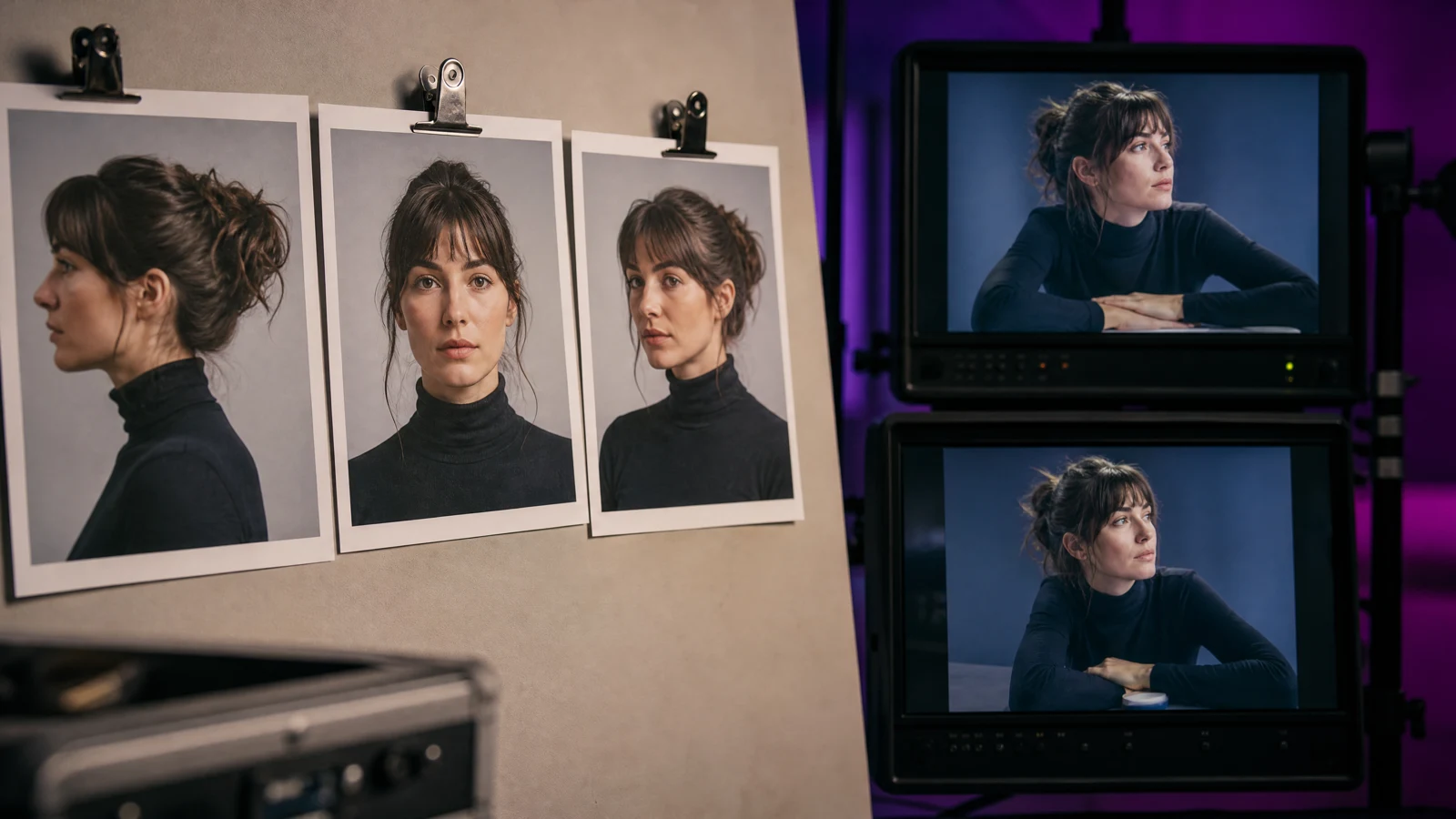
One clip is easy. Five clips of the same character, cut together, is where most AI video projects fall apart: the jacket changes shade, the hair grows, the face shifts by a decade between shot two and shot four.
Reference-to-video exists for that problem. Instead of describing the character in words, you hand the model images and let the images carry the design. The reference-to-video guide covers the modes; this page is the operating procedure around them.
Build the reference set first
Three images, prepared once, reused for the whole series:
- A clear front view. Face centred, even light, neutral expression.
- A three-quarter view. Same person, same lighting, so the model learns the shape rather than one angle.
- A full-body shot. Shows the outfit, the proportions and the shoes.
Rules for the set:
- Same character, same outfit, same day where possible.
- Plain background. A busy background gets learned as part of the character.
- No heavy filters, no beauty smoothing, no sunglasses that hide the eyes.
- Highest resolution you have, uncropped.
If the character only exists as a generated image, generate four versions of the same still first and pick the most anatomically clean one. A reference set inherits the flaws of its source.
Lock the design, vary the shot
Between clips, keep these constant:
- The reference images, unchanged.
- The character sentence in the prompt, word for word.
- The aspect ratio and resolution.
- The model and the fast/standard setting.
Change only the scene sentence and the camera line. That is the whole trick, and it is boring on purpose: every other variable you touch is a chance for the design to drift.
A prompt that survives a series
Reference: use the attached character images as the identity reference. Keep the face shape, hair, eye colour, outfit and body proportions identical to the references. Scene: the character walks through a rain-soaked night market, neon signage reflecting in puddles. Camera: slow lateral tracking shot at chest height. Guards: same character in every frame, no costume change, no extra people, no text, natural anatomy.
Prompt lab
Edit a tested prompt before you generate
Pick a direction, change the details to match your source, then copy it or open the workspace with the prompt already loaded.
Keep the same face across shots.
Browsing and copying prompts is free. Generation uses purchased credits, and the workspace shows the credit cost before you run a job.
Notice the reference block names the attributes it is protecting — face shape, hair, eyes, outfit, proportions. A generic "keep the character consistent" leaves the model to decide what consistency means.
Drift checks after every clip
Run these before generating the next shot, not after you have ten:
- Face: same eye spacing, same jawline.
- Hair: same length and parting.
- Outfit: same colour, same number of visible layers.
- Proportions: head size relative to shoulders unchanged.
- Style: the whole clip is in one look, not half photo and half illustration.
If a clip fails two of five, fix the reference set or the character sentence. Regenerating with the same prompt and a tweaked scene sentence will reproduce the same drift.
Chaining shots without a cut
The cheapest continuity is to reuse the last frame. Ask the workspace to return the final frame of a clip, then feed that frame as the source image for the next shot. The character carries over exactly, because it is literally the same pixels.
Use it when:
- Two shots happen in the same location.
- You need a smooth camera move across a beat.
- The next shot starts where the previous one ended.
Do not use it when the scene changes location or jumps in time: a locked start frame fights the new scene description.
What still breaks, honestly
- Fast turns. Profiles are the weakest angle for identity; keep head turns slow.
- Hands near the face. Occlusion confuses identity more than distance does.
- Crowds. Extra people in the prompt invite extra people into the frame, and the model may swap their faces with the reference.
- Style switches mid-series. Pick one look and keep it; reference-to-video holds identity, not art direction.
Frequently asked questions
How many reference images do I need?
Two is the minimum for a recognisable face; three, including one full body, holds outfit and proportions as well. More images do not automatically help if they show different lighting.
Can I use reference images of a real person?
Only with their consent. Uploading someone's photos to build a character is a rights question, and the acceptable use policy applies to the output too.
Should I generate all clips at the same length?
Yes when they will be cut together. Mixed lengths change the pacing the model learned, and mixed aspect ratios are worse: they reframe the character between shots.
Was this guide useful?