
AI Product Video Generator: The Prompt Formula for Clean Motion
A product motion guide for e-commerce: source stills, six camera moves, label stability, lighting and where a 3D workflow still wins.
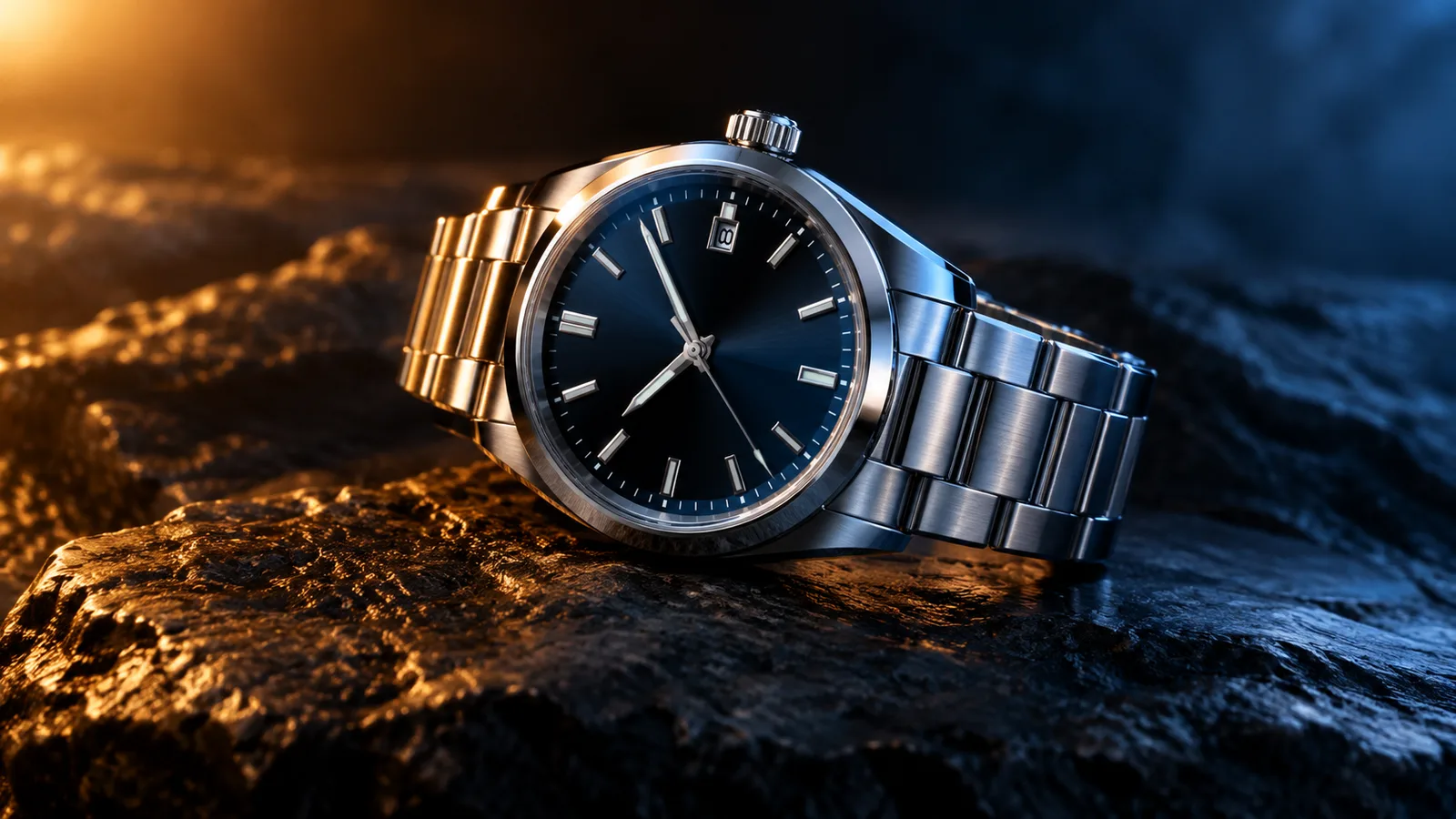
A product video has one job: make the product look worth buying. It does not need a story, a character or a camera crew. It needs a clean still, a controlled camera move and a light that reveals the material. That is exactly what an AI product video generator can do when the prompt is written correctly.
This guide covers the workflow behind the AI product video generator. It is written for e-commerce teams, small brands and creators who need motion assets without a studio shoot.
What this workflow is not
It is not a 3D model generator. It does not export GLB, OBJ or STL files, and it does not create editable topology, PBR maps or rigging. If you need a 3D asset, use a 3D tool. If you need a short motion clip from a still, this workflow is the right fit.
It is also not a replacement for a product photographer. A clean source still with controlled lighting produces a better clip than a messy lifestyle photo. Garbage in, garbage out still applies.
Start with a product still
Use a still with:
- The full product visible and centered.
- One clear light direction.
- A neutral or simple background.
- A readable label.
- At least 1,000 pixels on the long edge.
- No hands, price tags or distracting props.
If you only have a lifestyle photo, crop to the product. If the label is small, generate a close-up clip instead of a full-product clip.
The six-part prompt
- Product lock. Preserve shape, label, color, material and proportions.
- Motion. What moves? A turntable, an orbit, a lift, a light sweep.
- Camera. How does the viewer move? Push-in, pull-out, lateral pan.
- Lighting. Key light, rim light, reflections.
- Background. One clean set. Neutral, gradient or dark studio.
- Stability. No warping, extra objects, text or cuts.
A good product prompt is short. Long prompts often add conflicting instructions. If the label warps, remove background details and add a label-stability rule.
Try a product motion preset
Prompt lab
6 tested directions
Pick a preset, edit the prompt, then copy it or open the workspace with the prompt already loaded.
309 characters · La generazione usa crediti acquistati
The lab above loads a turntable prompt. Edit the motion, copy the prompt, or open the workspace with the prompt applied. The video workspace shows the credit estimate before generation.
Six camera moves that sell
1. Turntable
A controlled rotation on a clean plinth. The most classic product move. Use it for jewelry, watches, small electronics and packaged goods.
2. Orbit
A slow orbit around the product. More dynamic than a turntable but still controlled. Use it for shoes, bags and home goods.
3. Dolly in
A slow push toward the label. Creates a premium, intimate feel. Use it for skincare, perfume and premium packaging.
4. Floating
A subtle vertical lift with gentle parallax. Use it for gift guides and lightweight products.
5. Hero reveal
Start on a detail, then pull back to the full product. Use it for a launch or a product page hero.
6. Unbox reveal
A clean box opening without hands. The lid lifts and the product rises into view. Use it for new-product launches and gift sets.
Label stability
The label is the hardest part. Text warps easily. Three rules help:
- Keep the label flat and facing the camera in the source still.
- Add “preserve label text and logo shape” to the product lock.
- Avoid fast camera moves that change the label angle.
If the label still warps, add the text in an editor after the clip is generated. A clean clip with a post-production label is better than a warped label in the generation.
Lighting for material
Different materials need different light:
- Metal: a hard key light and a controlled rim light. Reflections should move with the camera.
- Glass: a soft box and a dark background. Avoid busy reflections.
- Fabric: a soft key light and a gentle fill. Show texture, not shine.
- Matte plastic: a large soft source and a subtle rim light. Avoid specular hotspots.
Describe the light, not the mood. “Warm key light from camera left, cool rim light from behind” is more useful than “premium lighting.”
Where product clips fit in a funnel
- Landing page hero: a five-second hero reveal or turntable.
- Product page: a short loop that shows the product from two angles.
- Paid ad: a teaser with the product and one benefit. Add text in the editor.
- Email: a GIF or a short MP4 loop. Keep it under five seconds.
- Marketplace listing: a clean turntable on a white background.
One clip can serve several placements if it is clean and silent. Add captions and price text per channel.
Publishing checks
- The product shape and label are stable.
- The material looks realistic.
- No invented text or extra objects.
- The clip is readable on a phone.
- The clip follows the ad platform's synthetic-media rules.
- You have the rights to the product image and any logos.
Frequently asked questions
Does this export a 3D model?
No. It produces a short video clip from a still image. Use a 3D tool if you need GLB, OBJ or editable topology.
What product photo works best?
A clean, well-lit still with the product centered and the label readable. A neutral background makes the motion easier to control.
Can I animate a logo or text?
Avoid asking the model to render text or logos. Text often warps. Add the logo and copy in an editor after the clip is generated.
How long should the clip be?
Five seconds is a good starting point for a product card or ad. Longer clips cost more and give the model more chances to drift.
Can I use the clip in a paid ad?
Review the Terms of Service and the model provider's usage rules. Also follow the ad platform's synthetic-media disclosure rules.
The bottom line
A product video is a controlled camera move, not a story. Start with a clean still, lock the product, choose one move, light the material and keep the clip short. The AI product video generator has six presets to start from; the Black Friday planner has sale-specific formats.
Was this guide useful?
Generatore video prodotto IA
Trasforma un’immagine prodotto in un clip di cinque secondi con movimento di camera controllato e luce pulita.
Leggi la guida