
Couple Halloween Costume AI: A Two-Photo Workflow
A step-by-step workflow for two-person Halloween portraits: photo selection, identity mapping, costume coordination and face-swap checks.
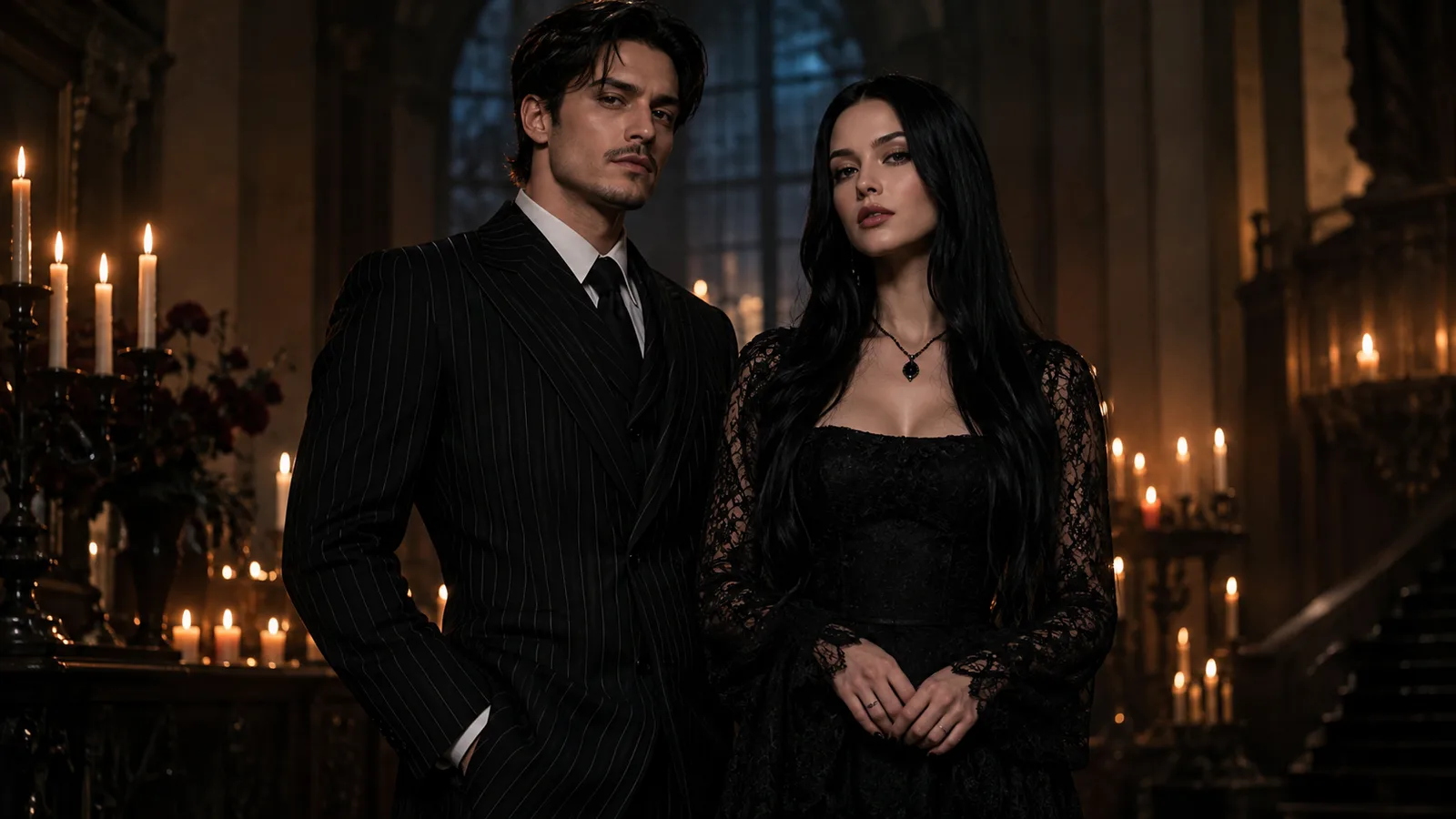
A couple Halloween portrait is not a single-person edit with two people in the frame. The model has two identity references, and it can blend them. The result is a photo where both faces look slightly like the same person, or where one person's costume jumps to the other body.
The fix is a two-photo workflow with explicit identity mapping. This guide walks through it using the couple Halloween costume generator. The same presets are available on that page, and generation uses purchased credits.
Start with two clean photos
Use one photo per person:
- Front-facing, full head and shoulders visible.
- Even light, no heavy filter.
- Neutral expression or a natural smile.
- Simple background.
- No other people in the frame.
Do not use a group photo and ask the model to isolate two people. That adds ambiguity. If you only have a couple photo, crop each person into a separate reference image if the resolution allows it.
Map each identity to a costume
The most reliable prompt names each person and each costume in the same sentence. For example:
Use both uploaded photos as references. Preserve the first person's face, skin tone and body proportions, and dress them in a modest black pinstripe suit. Preserve the second person's face, skin tone and body proportions, and dress them in a modest black lace gown. Keep exactly two people.
If the model supports image ordering, put the first person's photo first and describe the left side of the frame. Put the second photo second and describe the right side. The mapping does not have to be perfect, but it should be explicit.
Try the two-person prompt lab
Prompt lab
6 tested directions
Pick a preset, edit the prompt, then copy it or open the workspace with the prompt already loaded.
398 characters · La generazione usa crediti acquistati
The lab above loads a coordinated two-person prompt. Edit the costumes, copy the prompt, or open the workspace with the prompt already applied. The workspace accepts multiple reference images; upload one photo per person.
Six coordinated directions
- Cowboy and angel. One warm western look, one soft celestial look. Strong contrast, easy to read.
- Star visor. Original exploration suit and a crimson-gold gown. Avoid logos and trademarked symbols.
- Gothic duo. Black pinstripe suit and black lace gown. Candlelit hall, deep shadows, red accents.
- Disco duo. Brown and orange retro outfits, warm dance floor, film grain.
- Space duo. Two original flight suits, a station window, a nebula outside.
- Flower and moon. Botanical outfit and silver moon outfit, a moonlit greenhouse.
Coordinated does not mean identical. One person can carry the warm color and the other the cool color. One can wear the armor and the other the cape. Contrast makes the photo readable.
Prevent face swaps
Face swaps happen when the model has two references but no clear mapping. Four rules reduce the risk:
- Name each person and each costume in the same sentence.
- Repeat “exactly two people” at the end.
- Remove crowd words: party, guests, group, audience.
- Use an empty scene: garden, hallway, studio.
If the faces still swap, simplify the costumes. Two complex outfits give the model more ways to mix attributes. Start with one strong silhouette per person.
Prevent extra people
Extra people usually come from the scene description. “A party” implies a crowd. “A busy street” implies strangers. Use an empty location and add “no other people” to the exclusions.
Check the background at full resolution. A distant silhouette can look like a third person even if the model did not intend it.
Lighting a two-person portrait
A single key light is easier to control than two. Put the key light on one side and a rim light on the other. Ask for consistent light direction across both faces. If one face is much darker, add a subtle fill rather than a second key.
A moonlit garden with warm lanterns is a reliable setup: cool ambient background, warm practical lights, soft fog behind the subjects. It gives both faces a clear light source and a readable separation from the background.
What to check before publishing
- Both faces are recognizable.
- Exactly two people.
- Costumes did not swap.
- Hands and arms are plausible.
- No invented text or logos.
- You have permission from both people.
- The image follows the platform's synthetic-media rules.
The acceptable use policy applies. Do not use someone else's face without consent.
How to keep two faces consistent
Reference order matters. Put the person with the simpler costume first, and describe that costume before you mention the second person. Then describe the second person and their costume in a separate sentence. Avoid "they" and "both"; name each person every time.
Repeat the headcount rule in the prompt: "exactly two people, no extra faces, no extra limbs." Models add a third person when a scene feels empty, so give the background a job: a stone wall, a lantern, a row of chairs. An empty room invites invented guests.
If one face still drifts, do not reroll the whole scene. Generate each person separately against the same background prompt, then composite the two results in an editor. The composite is often more controllable than a two-reference generation, especially when the costumes have very different silhouettes.
Frequently asked questions
How many photos do I need?
One clear front-facing photo per person. Two photos are easier to control than a single group photo.
Why do faces swap?
The model can blend two identity references. Describe each person and costume, and repeat “exactly two people.”
Can I use a photo with two people already in it?
Yes, but the result is less predictable. If possible, crop each person into a separate reference.
Can I make a group of four?
Generate the couple first, then add more people in separate edits or composite the images in an editor.
Which preset is easiest for a first try?
Start with Gothic Duo or Disco Duo. Both have clear silhouettes and a simple two-person composition.
The bottom line
A couple Halloween portrait works when the model knows which face belongs to which costume. Use two clean photos, name each person, repeat the two-person rule, and keep the scene empty. The couple Halloween costume generator has six coordinated directions to start from.
Was this guide useful?
Generatore di costumi Halloween in coppia
Carica una foto nitida per persona, scegli una direzione coordinata e genera un ritratto di Halloween per due.
Leggi la guida