
Halloween Pet Costume AI: Pumpkin, Glow Dinosaur and More
How to make a pet Halloween portrait without forcing a costume, plus prompts that preserve breed, fur, markings and paws.
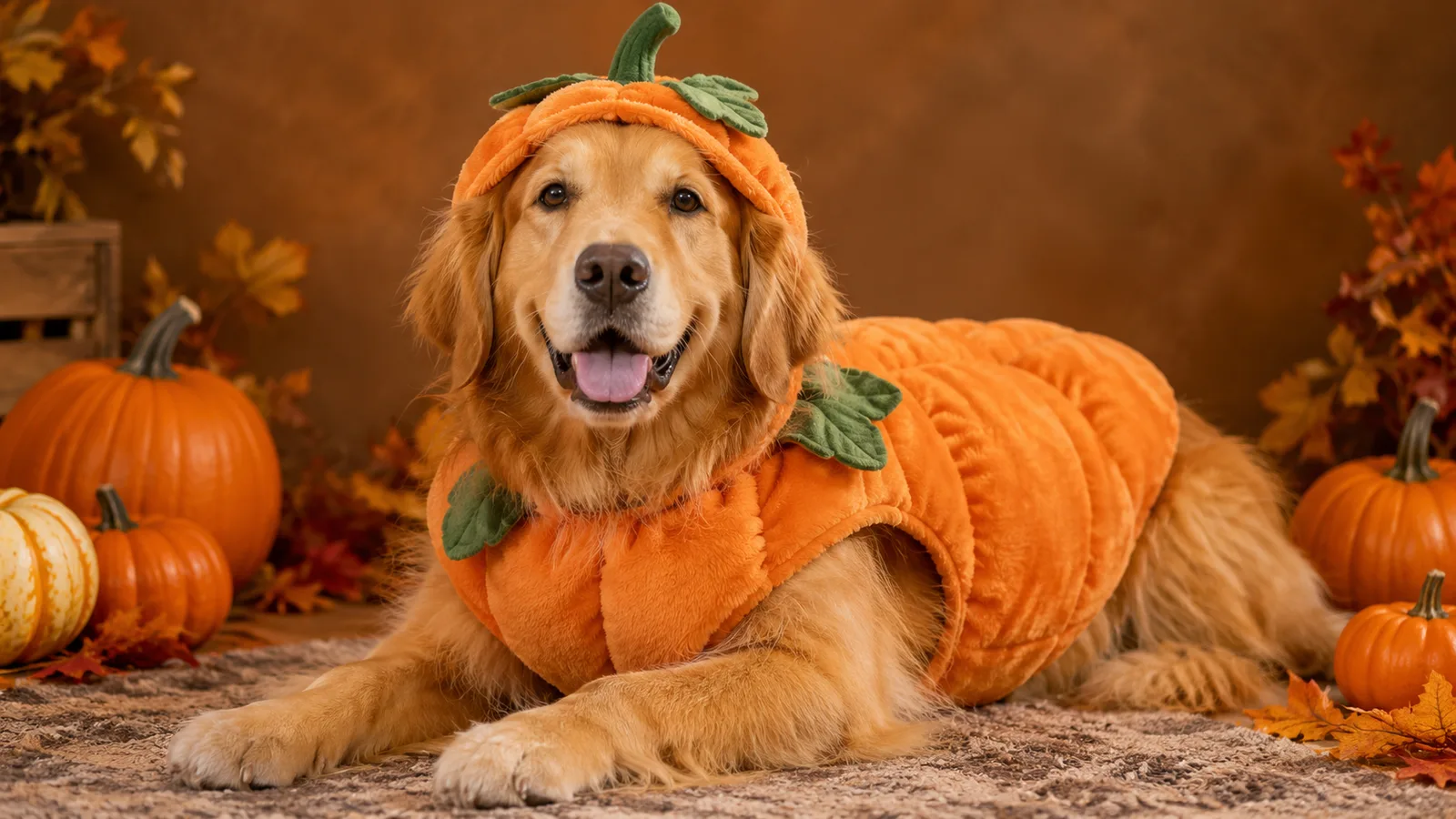
A pet Halloween photo has a different failure mode from a human portrait. The face is usually easy; the paws, fur markings and species are what drift. A model can turn a tabby into a generic orange cat, add a second animal, or give the pet human-like hands. The fix is a pet-specific identity lock.
This guide covers the workflow behind the pumpkin pet costume generator. It uses generated images, so the animal does not wear anything. If you also use a real costume for a photo, choose a soft, loose-fitting option and supervise the animal.
What to preserve
For a pet portrait, the identity lock should name:
- Breed or mix.
- Fur color and pattern.
- Distinctive markings.
- Eye color.
- Ear shape and tail shape.
- Body proportions.
- Natural paws.
A useful sentence is:
Preserve the animal's breed, fur color, distinctive markings, eye color, ear shape and natural anatomy.
Then add the costume sentence. Keep the costume away from the eyes, mouth and nose. A hood is fine if it sits behind the ears; a full face mask is not.
Try a pet preset
Prompt lab
6 tested directions
Pick a preset, edit the prompt, then copy it or open the workspace with the prompt already loaded.
544 characters · يستخدم التوليد أرصدة مشتراة
The lab above includes pumpkin, glow dinosaur, baked potato, butter stick, tiny ghost and headless-rider-inspired directions. Pick one, edit the costume color, and copy the prompt or open the workspace with it loaded.
Six pet costume ideas that read at thumbnail size
- Pumpkin pet. A soft pumpkin body with a leaf collar. The round silhouette reads instantly.
- Glow dinosaur. A gentle green glow, a dinosaur hood and back plates. Works well on dark fur.
- Baked potato. A padded brown body, a butter-pat hat and silver foil accents. Funny without being complicated.
- Stick of butter. A bright yellow body with a simple wrapper label. High contrast, easy to read.
- Tiny ghost. A soft white sheet with safe eye holes. Keep the eyes visible in the prompt.
- Headless rider. A small dark cape and a miniature pumpkin prop. No gore, no missing head.
The strongest pet costumes have one clear silhouette. If the costume has five parts, the model has five chances to invent something strange.
Photo tips
Use a front-facing photo with even light and a clear view of the face. Avoid photos where the pet is moving, partially hidden, or next to another animal. A simple background makes the costume edit cleaner.
If the pet has dark fur, add a rim light to the prompt so the outline separates from the background. If the pet has a patterned coat, repeat the marking rule at the end of the prompt.
A worked example
Start with a seated cat photo on a plain wall. Apply the pumpkin preset. If the result changes the fur pattern, add “preserve the tabby stripes on the forehead and legs” to the identity sentence. If the costume covers the eyes, add “the costume sits below the ears and does not cover the eyes.”
If the result adds a second cat, add “exactly one animal” and remove any plural words from the scene description. If the paws look wrong, ask for “natural paws resting on the floor” and avoid action poses.
What the model is good at
- Adding a soft costume around a clear body.
- Changing the background to a studio, porch or hallway.
- Matching warm autumn light.
- Keeping the face recognizable when the photo is sharp.
What it struggles with
- Complex costumes with many straps.
- Paws in motion.
- Two pets in one image.
- Exact text on a costume label.
- Very dark fur against a dark background.
Design around the weaknesses. A simple silhouette and a clean background produce a better image than a complicated costume.
Pet safety and consent
The image is generated. Do not force a real animal into a costume for a photo if it causes stress. If you use a real costume, choose a soft, loose-fitting option, avoid covering the eyes or mouth, and supervise the animal.
Only upload a pet photo you have permission to use. If the pet belongs to a client or friend, confirm the intended use before publishing. The acceptable use policy applies.
Publishing checklist
- Check the breed, fur pattern and markings at full resolution.
- Count the paws and the animals.
- Confirm the eyes are visible.
- Remove any invented text or logos.
- Check the background for strange objects.
- Confirm you have permission to use the photo.
Safety and realism checks before you post
The image is generated, but the costume advice still matters. If you also dress the pet for a photo, choose a soft, loose-fitting costume, avoid anything around the neck or face, and supervise the whole session. Never leave a costumed pet alone.
Check the generated image at full resolution before you publish. The eyes should be visible and symmetrical, the collar should not fuse into the fur, and the paws should have the right number of toes. Look for invented text on a tag or a background object that makes no sense. A cute thumbnail can hide a broken paw.
Finally, confirm permission. A pet belongs to someone, and a customer photo needs a clear okay before you turn it into a public post. Keep the original photo and the generated file together so you can show what changed if anyone asks.
Frequently asked questions
Is this safe for my pet?
The image is generated, so the pet does not wear anything. If you also use a real costume, choose a soft, loose-fitting costume and supervise the animal.
Will the generator keep my pet's markings?
The presets ask the model to preserve breed, fur color, markings and anatomy. A clear, well-lit photo improves the result.
Can I make a glow-in-the-dark dinosaur costume?
Yes. The Glow Dinosaur preset adds a soft green glow and a dinosaur hood without changing the species. You can edit the glow strength in the prompt.
Can I generate two pets in one image?
It is possible, but two pets are harder to control. Generate each pet separately, then combine them in an editor.
Can I use the image on a product or listing?
Review the Terms of Service and the model provider's rules before commercial use. If the pet belongs to a customer, get permission first.
The bottom line
A good pet Halloween portrait is a simple silhouette plus a strong identity lock. Keep the costume soft, keep the eyes visible, and repeat the breed and marking rules. The pumpkin pet costume generator has six starting points; the AI Halloween costumes gallery has more directions for people and pets.
Was this guide useful?
مولد زي اليقطين للحيوانات الأليفة
حوّل صورة حيوان أليف إلى صورة يقطين أو ديناصور متوهج أو شبح صغير مع الحفاظ على السلالة والفراء والعلامات.
اقرأ الدليل